Standard Reports that allow for additional UDID fields:
- Air Activity
- Transaction Analysis by Credit Card
- Electronic Invoice - Combined
How to Add UDIDs to Standard Reports:
1. Under the 'Report Settings' tab, click on the 'UDID' button: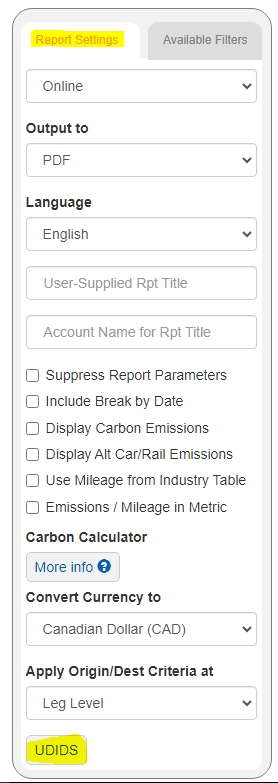
2. Enter a UDID# and Label (both items must be added for the fields to show on the report.). Then, 'Close', and run the report as you normally would.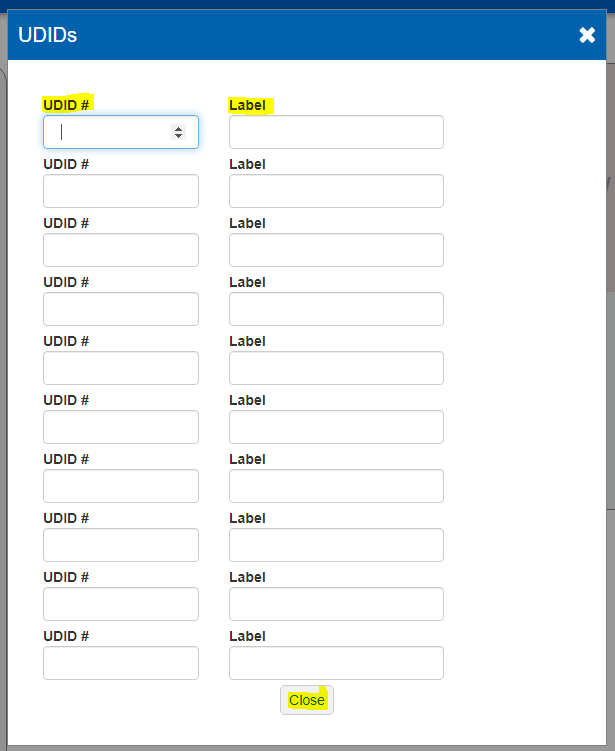
Was this article helpful?
That’s Great!
Thank you for your feedback
Sorry! We couldn't be helpful
Thank you for your feedback
Feedback sent
We appreciate your effort and will try to fix the article