How to Create Picklists
What is a Picklist?
Picklists are used to quickly generate selections of data when running iBank reports.
One of the most popular picklist options is Accounts. When an account has several DKs, Account Picklists offer users the ability group DK lists, instead of having to add each DK to report filters manually.
However, they can be created for any of the categories shown below.

Creating a Picklist
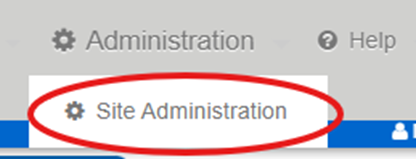
Toward top right-hand corner of the screen, click Administration > Site Administration:
From the Admin Site Map page, click desired category option under Picklists:
- In this example, we will create an Accounts Picklist.
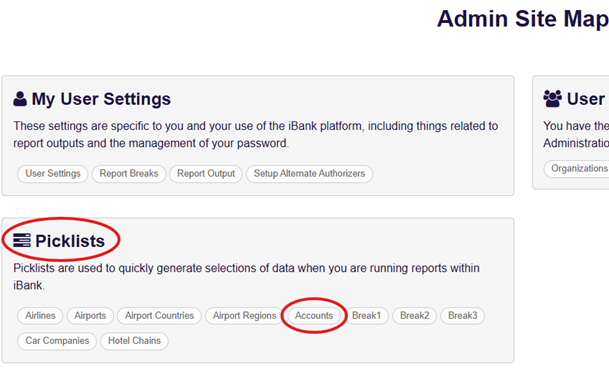
Click Accounts to open the Accounts Picklist window.
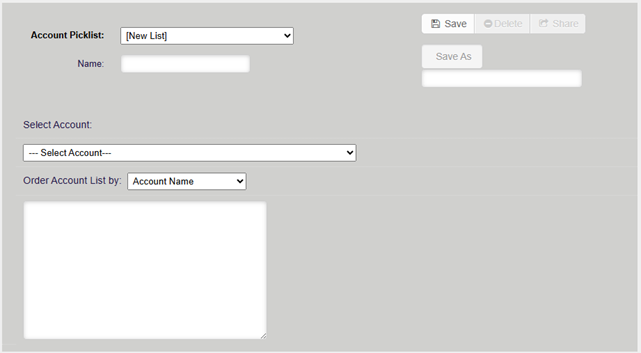
First, name and save the new picklist:
- Once saved, the picklist will be assigned a unique 7-character DK# which will be displayed in the Account Picklist dropdown. (ex. U-10740)

Next, add accounts to the new Picklist. There are 2 ways to do this:
- Choose the desired accounts from the Select Account dropdown menu. (Accounts must be selected one at a time with this option.)
OR
- Paste your comma delimited DK list directly into the open box.
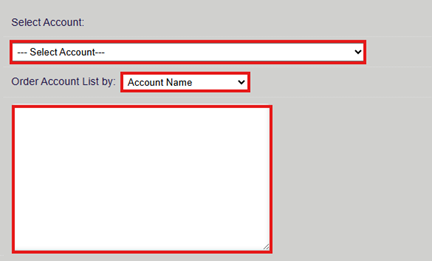
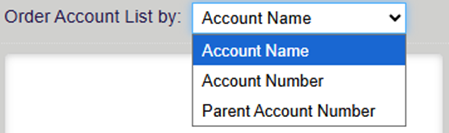
NOTE: The ‘Order Account List by’ option allows you to adjust the order by which the ‘Select Account’ list is displayed.
Click Save to finalize the creation of your new picklist.
- Picklists can be updated at any time by adding or removing accounts, then saving.
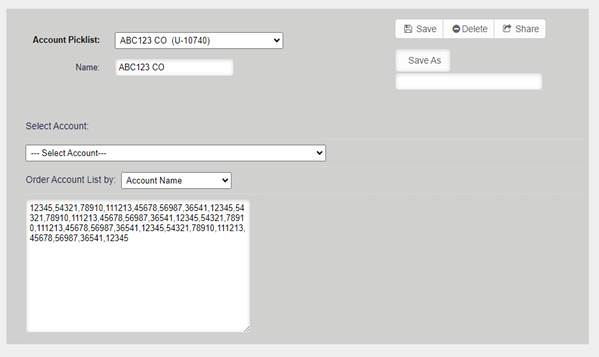
NOTE: Picklists can be ‘Deleted’ or ‘Shared’ with anyone in your organization at any time. 
Picklists are searchable using the Account Number filter: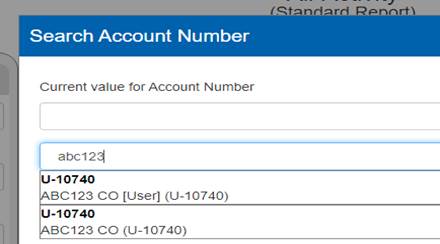
Was this article helpful?
That’s Great!
Thank you for your feedback
Sorry! We couldn't be helpful
Thank you for your feedback
Feedback sent
We appreciate your effort and will try to fix the article